
Tracking
Reviews
3 min read
See what users are saying about your plugin — the rating breakdown and the individual reviews, pulled straight from WordPress.org.
What the review overview shows
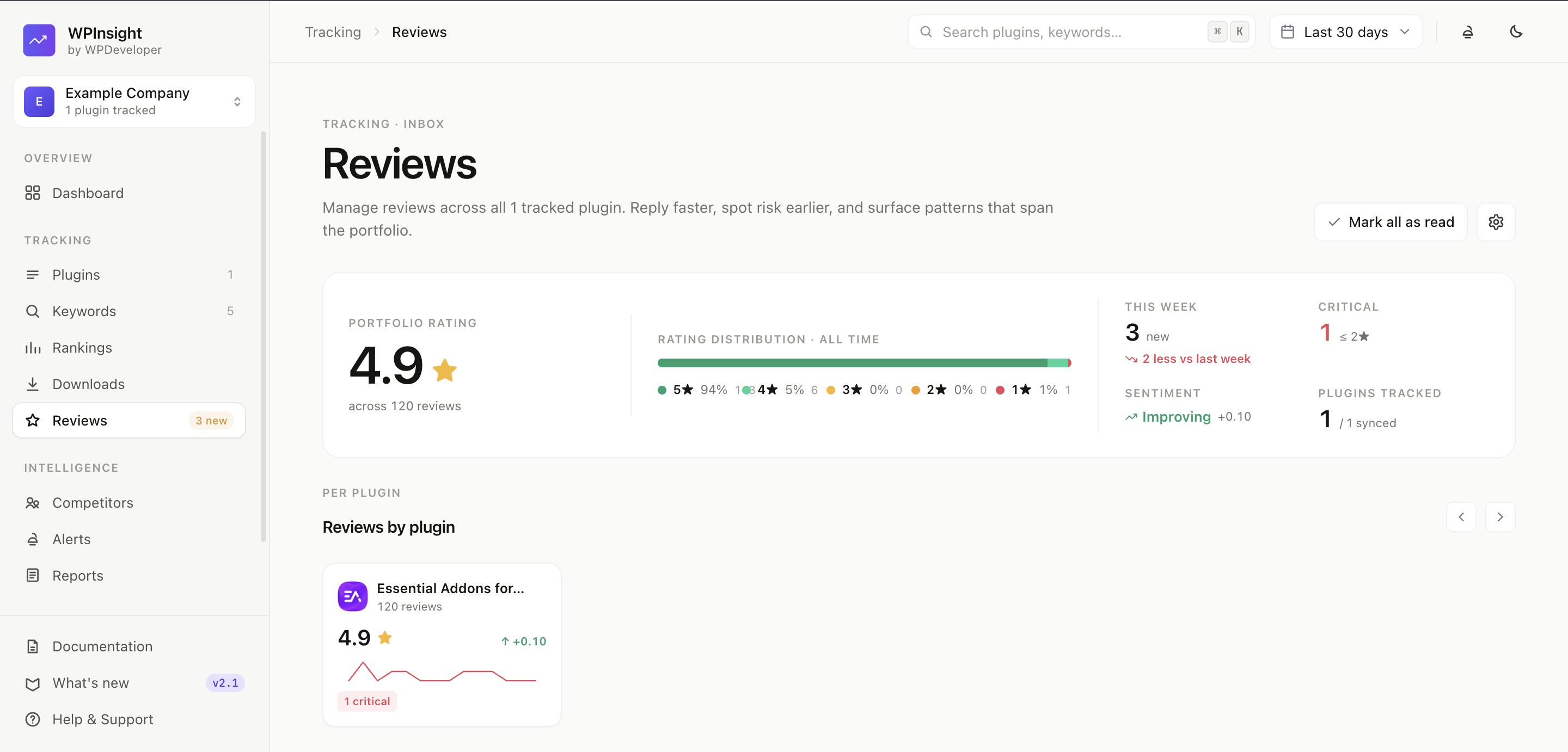
Each plugin’s Reviews tab shows:
- Average rating and total review count.
- A star breakdown (how many 5-star, 4-star, and so on).
- The latest review date.
How to fetch the latest reviews
WordPress.org doesn’t hand over every review in one call, so WPInsight pulls them in when it refreshes a plugin:
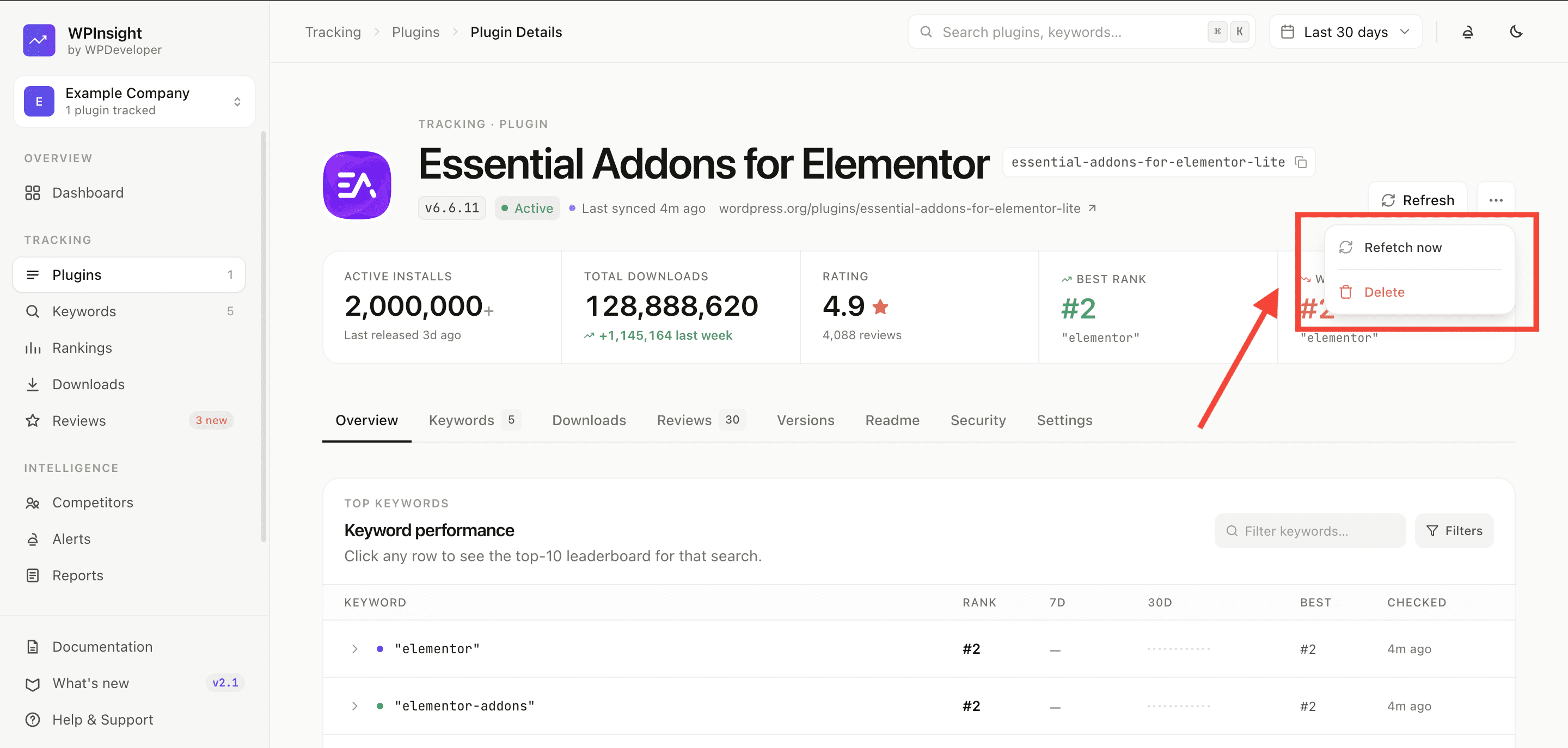
- On a plugin’s page, open the ⋯ menu in the header and click
Refetch now. This refreshes the whole plugin — including its reviews — from WordPress.org. - On a free plan, review collection is capped at roughly the latest 100 reviews; paid plans pull the full history.
Tracking how reviews change over time
WPInsight records your review standing once a day — the rating WordPress.org shows, the total rating count, and the full star breakdown. From two days of that it can tell you what actually moved:
- Rating moves, reported at the one-decimal figure shown on your listing page. A change from 4.6★ to 4.5★ is news; the raw score wobbling underneath it is not.
- Low-star arrivals — new 1- and 2-star ratings.
- Review-count milestones, like passing 100 or 500 reviews.
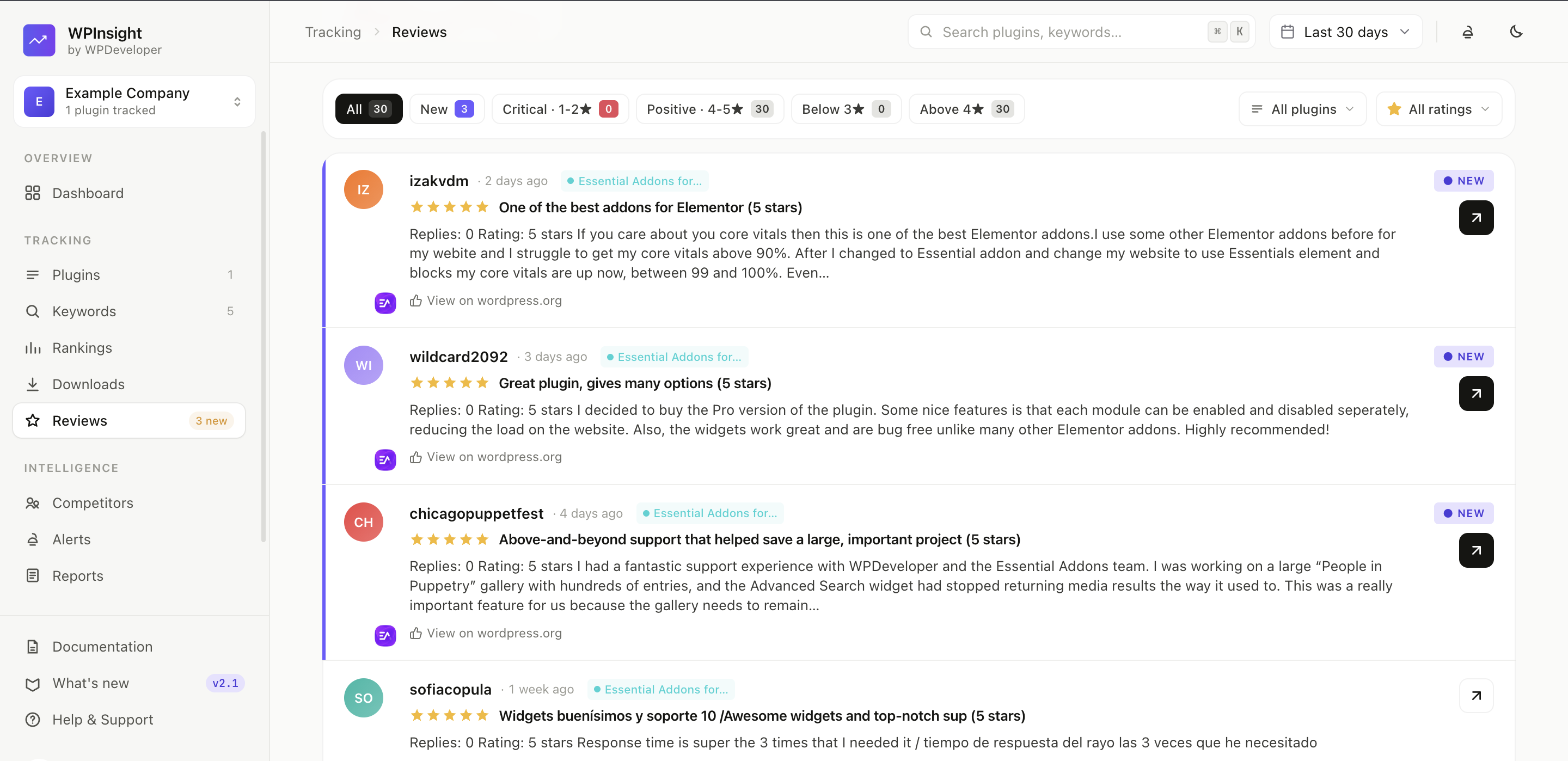
- Individual new reviews, as they appear.
Two things worth knowing. History starts the first time a plugin is synced and cannot be backfilled, so a newly tracked plugin shows a dash rather than a change until it has two days behind it. And a dash always means “not enough history yet” — never “nothing moved”.
You can also be alerted when a rating falls. See Create custom alerts and pick the Rating dropped trigger.
Plan limits
Free workspaces are capped at roughly the latest 100 reviews per plugin. Upgrade to a paid plan to scrape and keep the complete review history. See Billing & subscriptions.
Review history and change tracking are paid features, and how far back you can look depends on your plan:
| Plan | Review history |
|---|---|
| Basic (free) | 14 days |
| Starter | 90 days |
| Growth | 180 days |
| Enterprise | 365 days |