
Billing
Billing & subscriptions
4 min read
Upgrade your workspace to unlock higher limits and paid features. Billing is handled securely through Stripe.
How to choose a plan
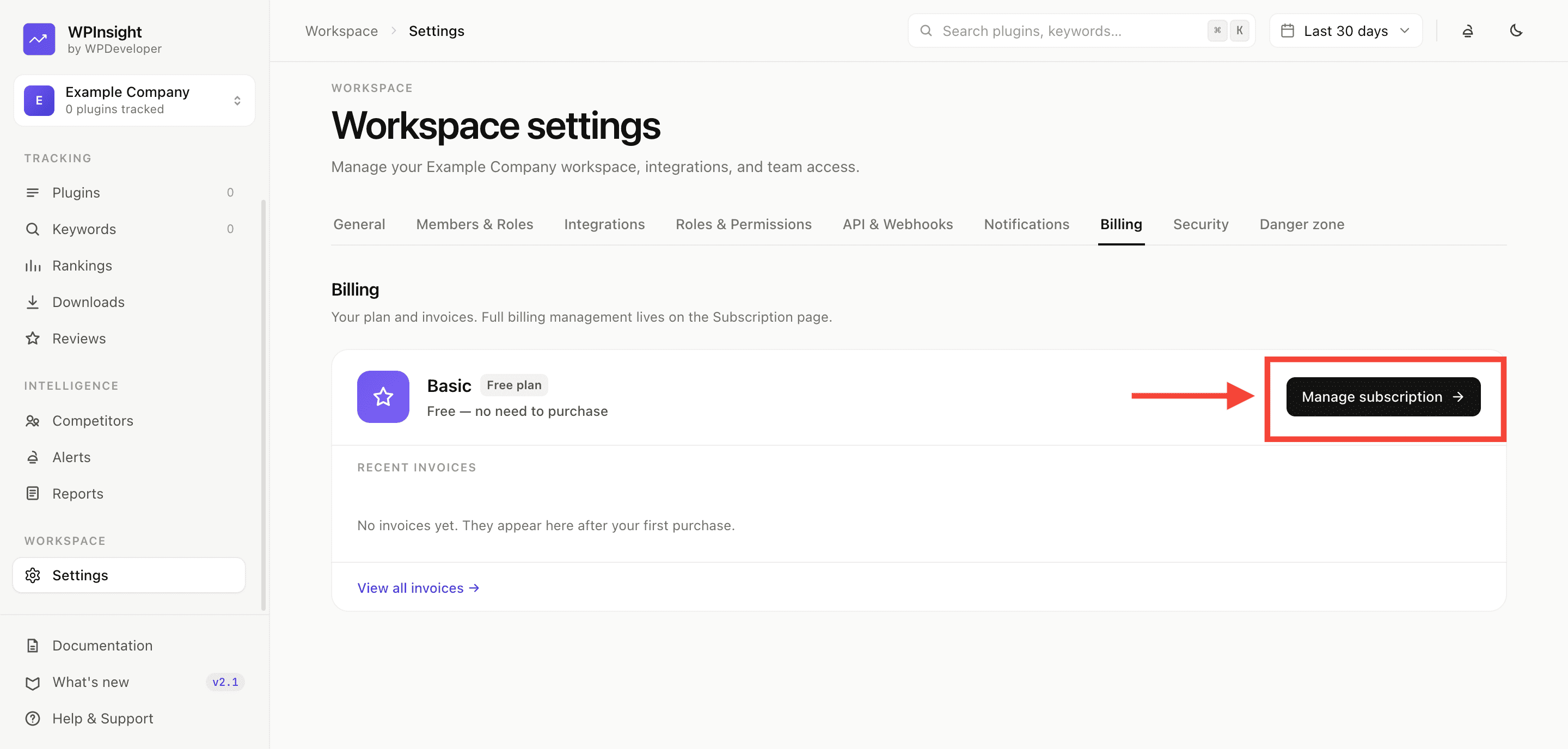
- Open Settings → Billing, then click Manage subscription.
- Review the plans and pick the one that fits.
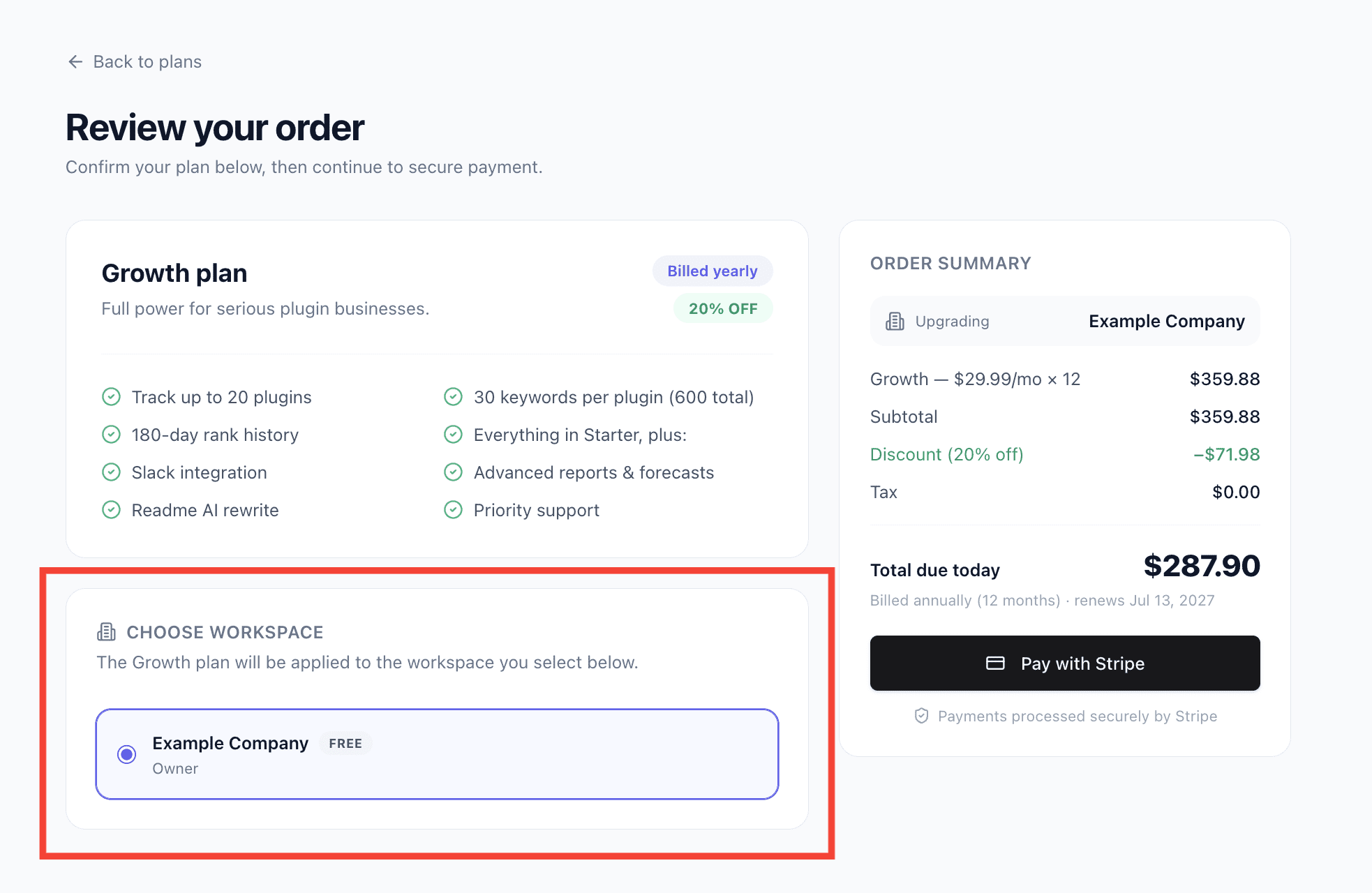
- On the cart page, confirm which workspace you’re buying for (only owners and admins can purchase).
- Click
Pay with Stripe— you’ll be taken to Stripe’s secure hosted checkout.
What happens after payment
- Your plan activates automatically the moment payment succeeds.
- Billing is yearly, and the price is always calculated by WPInsight’s server — never editable from the browser.
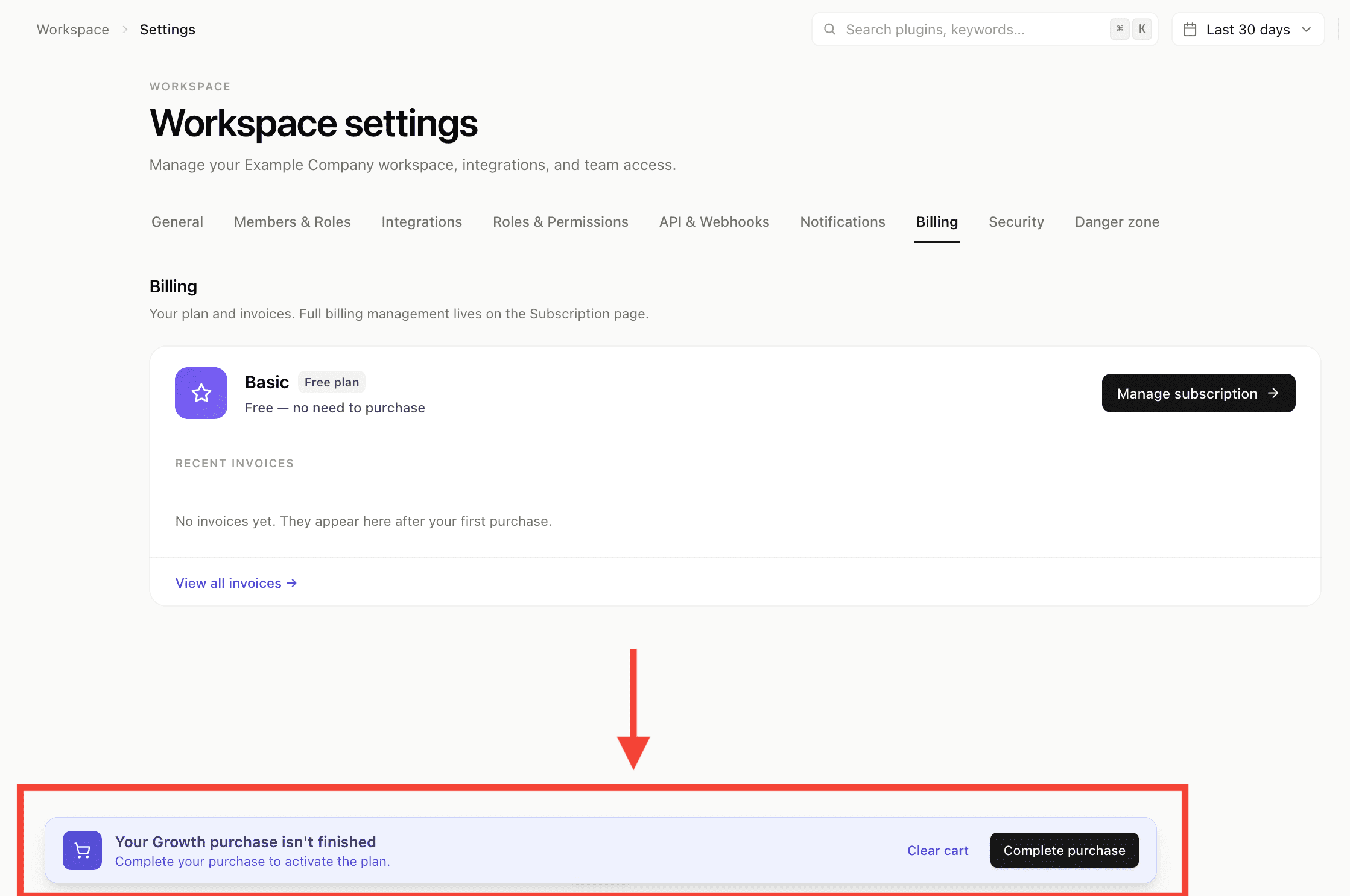
- If you close the tab mid-purchase, a reminder banner helps you finish later.
Where to see your plan
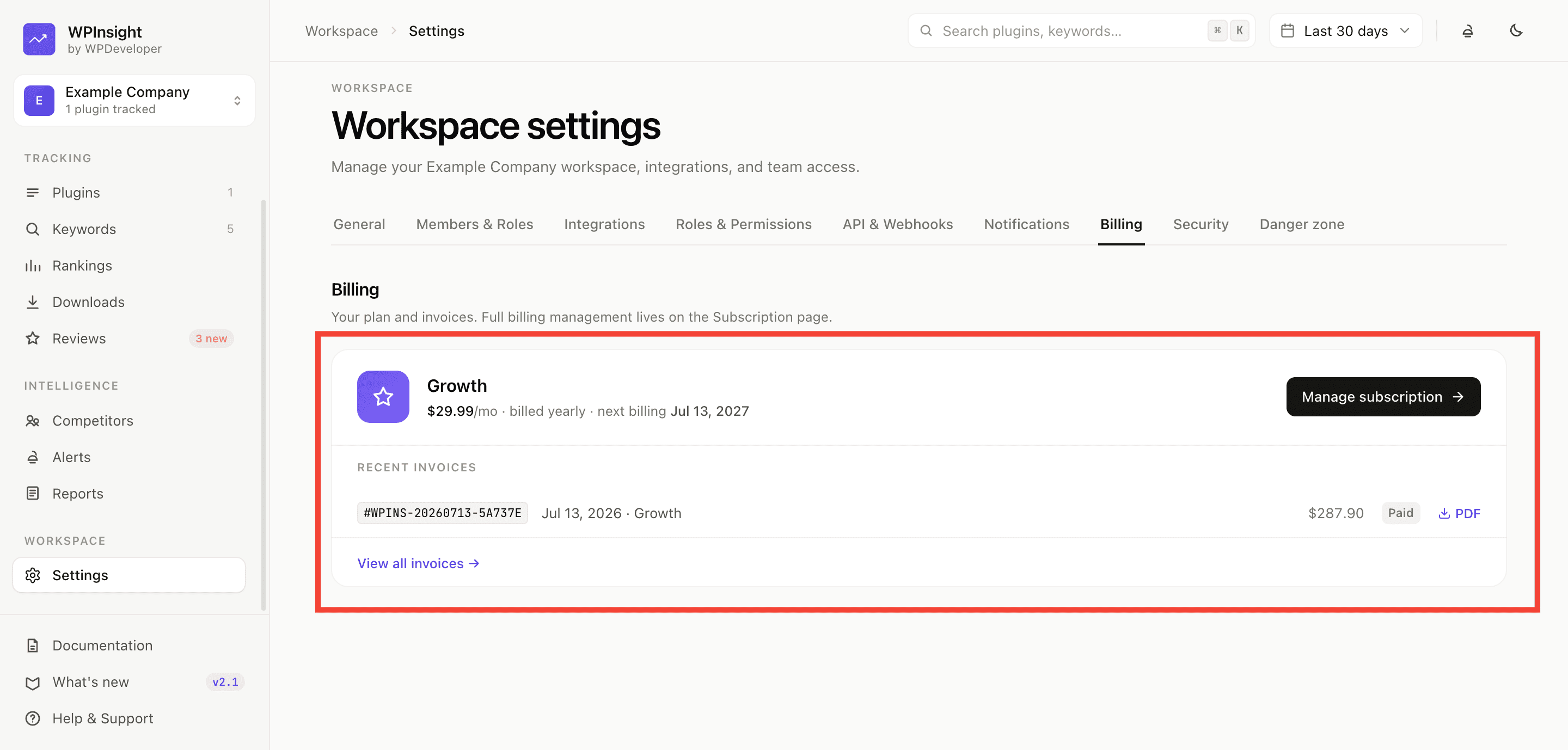
The Billing page shows:
- Your current plan and status.
- Your next billing date.
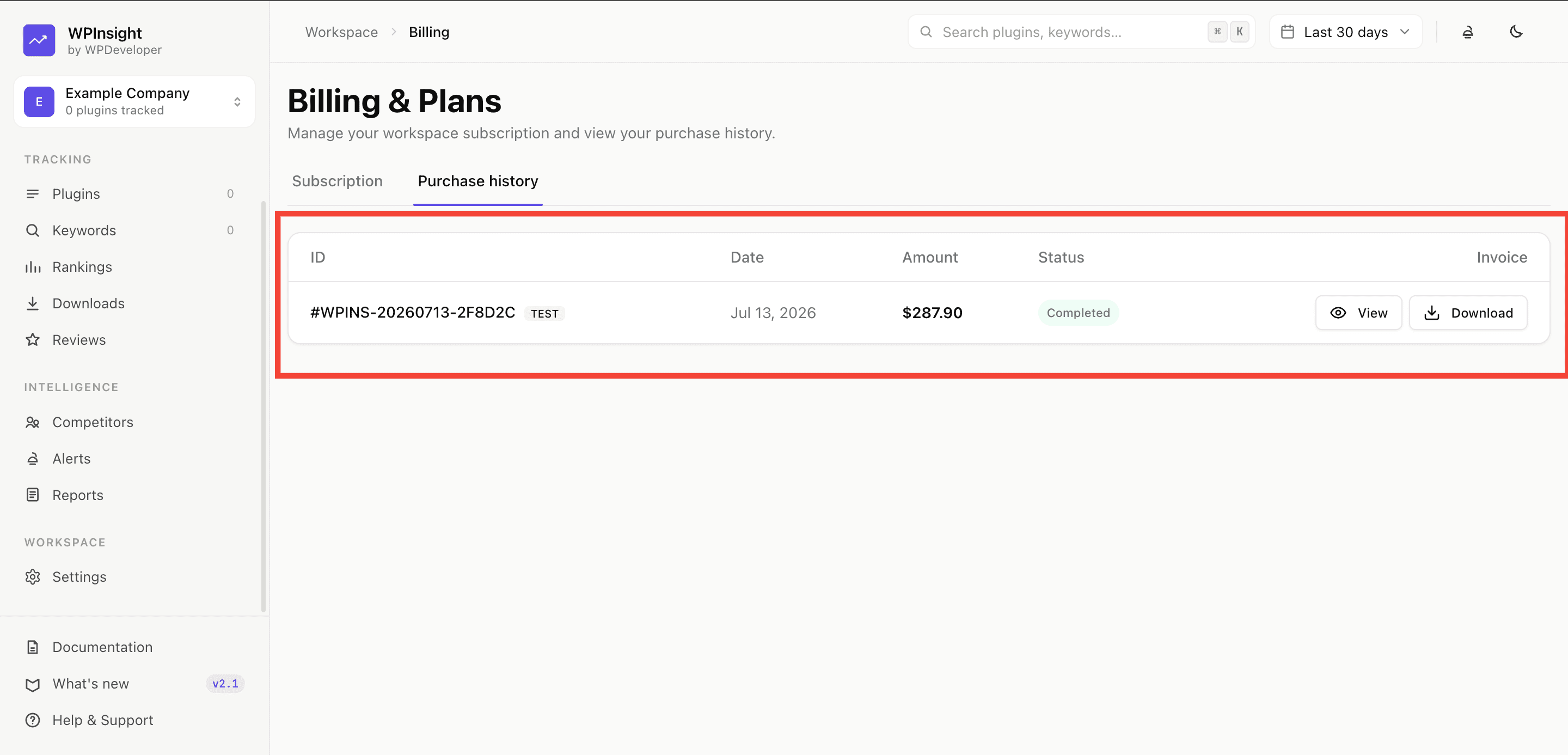
How to find your invoices
- View every purchase as a receipt.
- Download an invoice (print-to-PDF) or open the HTML version.
- Find all invoices under Billing → purchase history.
Adding teammates or extra workspaces is governed by your plan. See Settings & roles.