
Intelligence
Competitors
3 min read
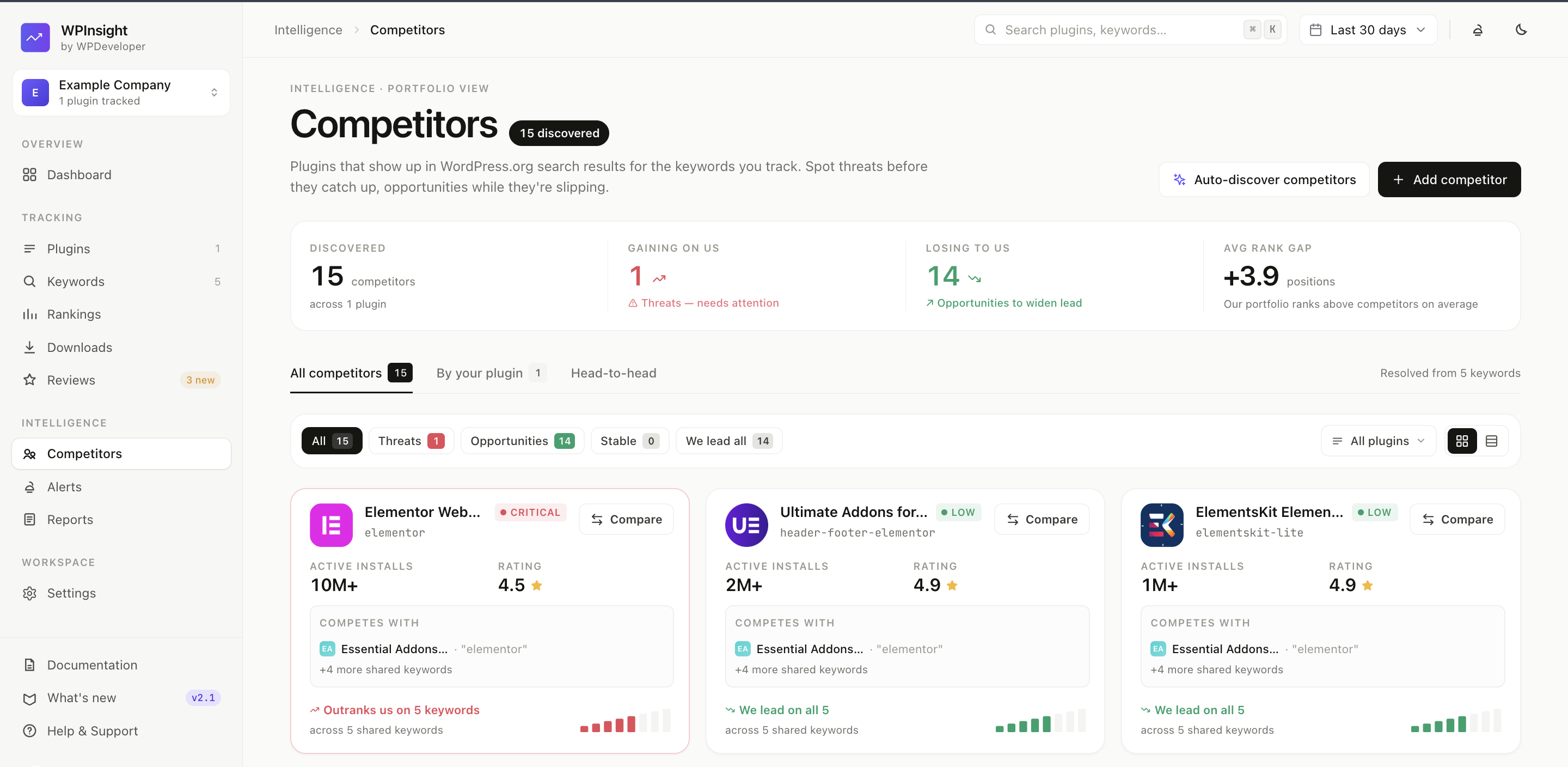
See exactly who you’re up against. For every keyword you track, WPInsight shows the other plugins ranking in WordPress.org search — and how their numbers stack up against yours.
What you get
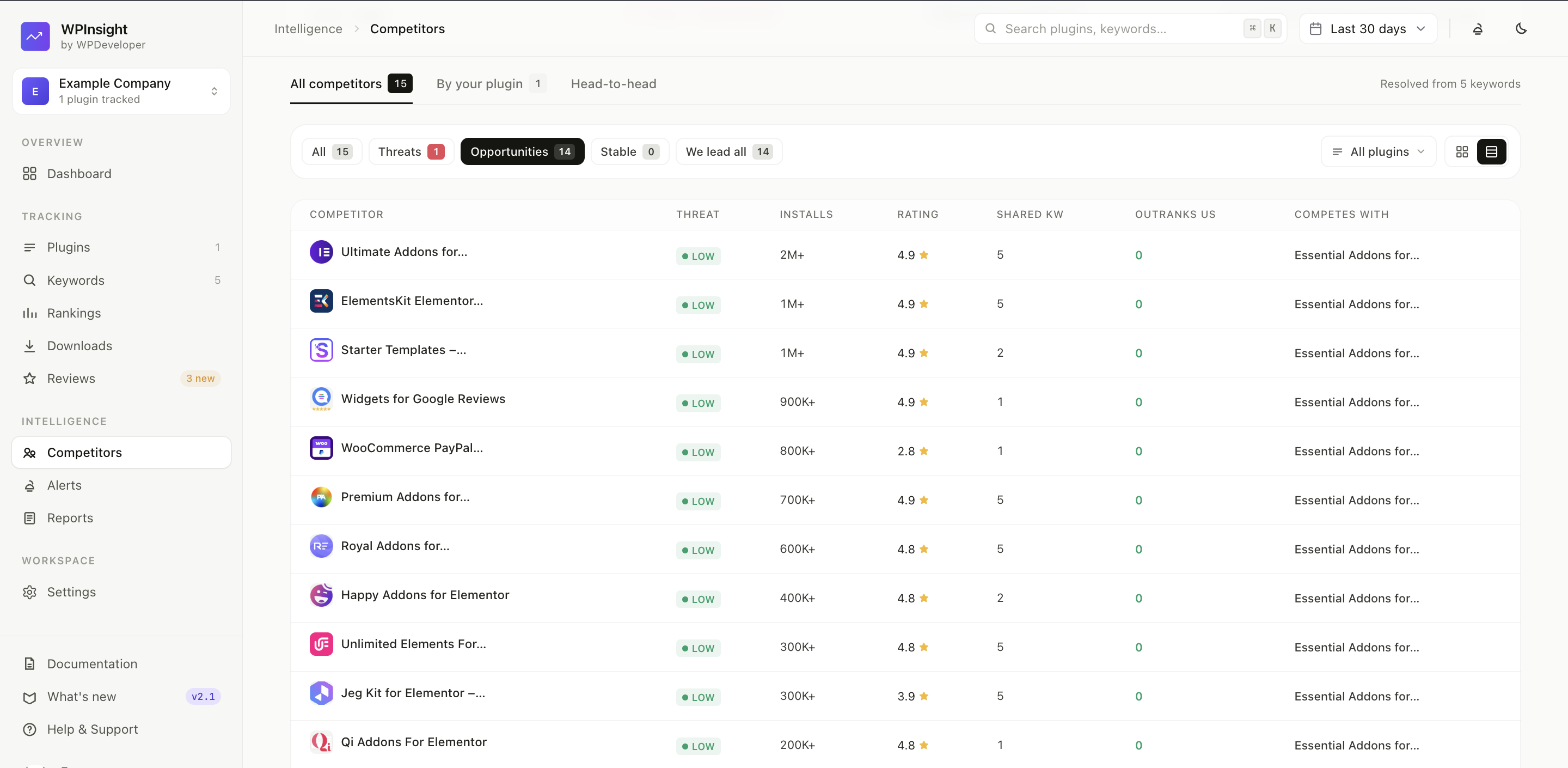
- Live competitors per keyword — the plugins ranking for each of your tracked keywords, pulled fresh from WordPress.org search results.
- Side-by-side metrics — active installs, downloads, and ratings for each competitor next to yours.
- Position context — where you sit relative to the competition for that term.
How to use it
- Make sure you’re tracking the keywords you care about — competitors are derived from your tracked keywords. See Add keywords to track rankings.
- Open the Competitors page.
- Review the plugins ranking around you for each keyword and compare their reach and quality to yours.
Why it matters
- Spot a competitor climbing before they overtake you.
- Understand why a keyword is hard — a dominant incumbent vs. an open field.
- Find gaps where a smaller competitor is beatable.