
Tracking
Downloads & milestones
4 min read
Watch your plugin’s reach grow — daily downloads, active installs, and progress toward the next big install milestone.
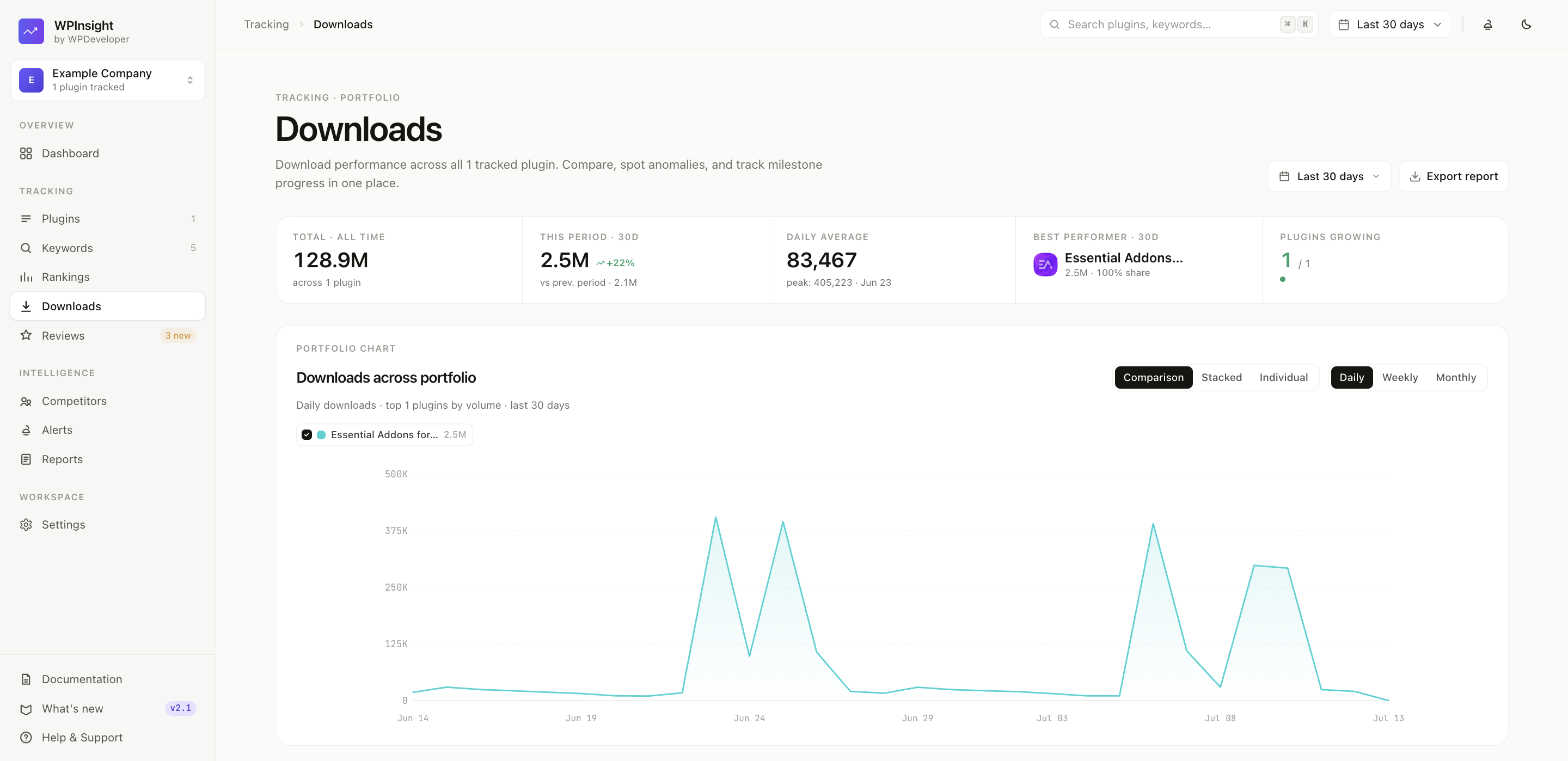
Understanding the Downloads & Installs charts
On a plugin’s Downloads tab you’ll find:
- Downloads over time — the download chart, which you can switch between daily, weekly, and monthly counts.
- A window selector (
7d/30d/90d/1y/All) to zoom the range in or out. - Active installs appear separately — in the milestone tracker and an installs-by-version breakdown — rather than as a line on this chart.
How milestones work
WPInsight tracks your progress against WordPress.org’s install tiers — 10, 50, 100, 200 … all the way up to 6M+.
- Milestone history — a timeline of every tier your plugin has reached.
- Auto-stamping — when a milestone is reached, WPInsight records the exact install count and date automatically on the next sync. It never overwrites a date once set.
- Editable dates — need to correct a date? Adjust it inline.
How the next-milestone projection works
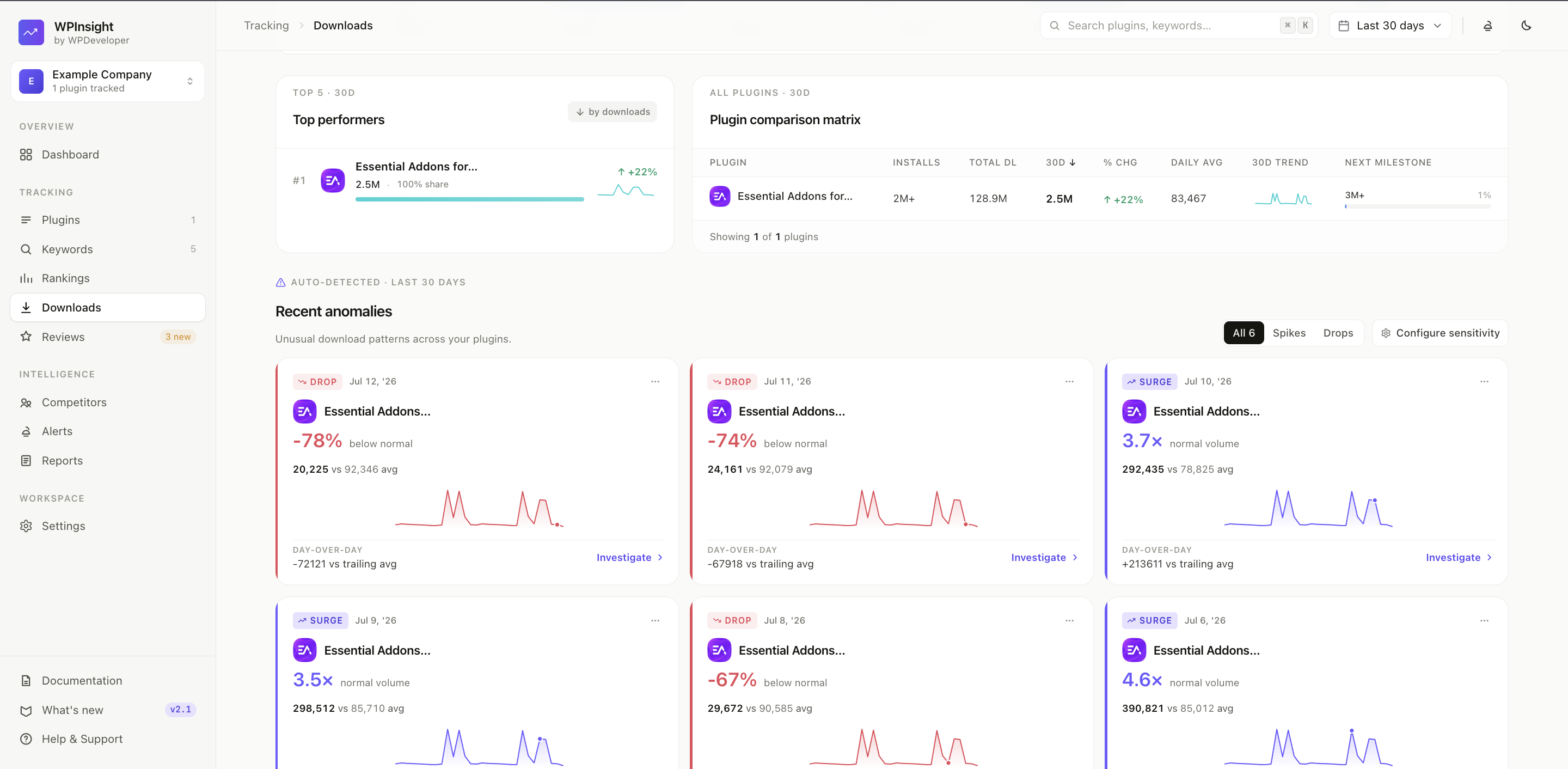
WPInsight estimates when you’ll hit your next tier based on your recent growth pace, so you can see how close the next milestone really is.
Example: “At the current pace, you’ll reach 100,000 active installs in about 3 weeks.”
Good to know
- Active-install numbers come straight from WordPress.org, which reports them in broad buckets — so the install line reflects those steps.
- Milestones are about active installs; the downloads chart tracks the separate, always-rising download count.