
Tracking
How to rewrite a readme
3 min read
Improve your plugin’s WordPress.org readme with AI assistance — rewrite it for clarity and SEO, and validate its structure before you ship.
Requires an AI key. See How to set up your AI key.
How to rewrite a readme
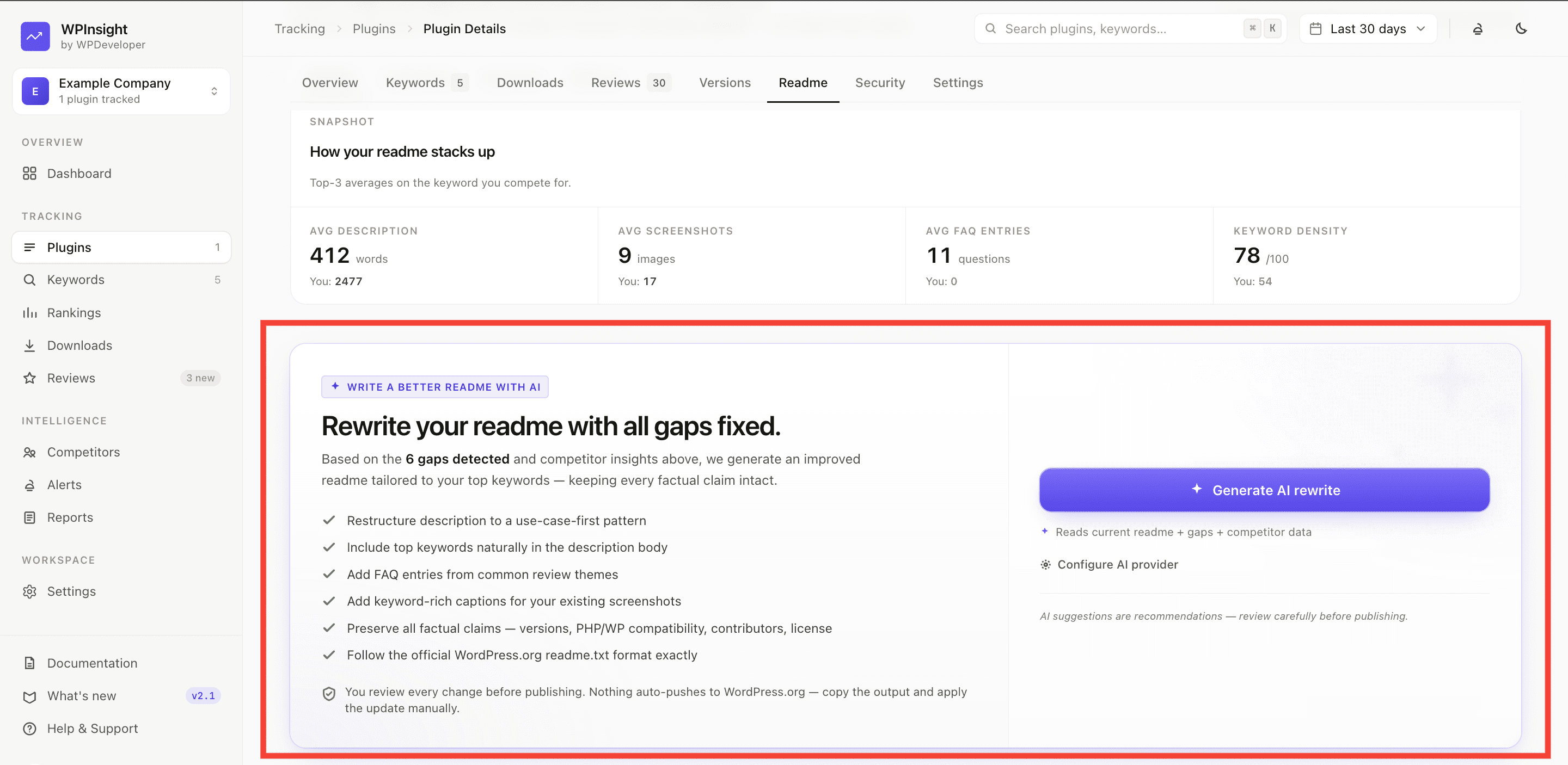
- Open a plugin and go to its Readme tab.
- Click
Generate AI rewrite. - Review the generated version — WPInsight uses your plugin’s real data to guide the rewrite.
- Keep what you like and copy it into your WordPress.org readme.
What readme history keeps
Every AI rewrite is saved so you can look back at previous versions, along with the token usage for each generation.
How to validate a readme
Not sure your readme is well-formed? The readme validator checks its structure (required sections, formatting) and flags problems — no AI key needed for validation.